
Model a renovation with the value-add calculator
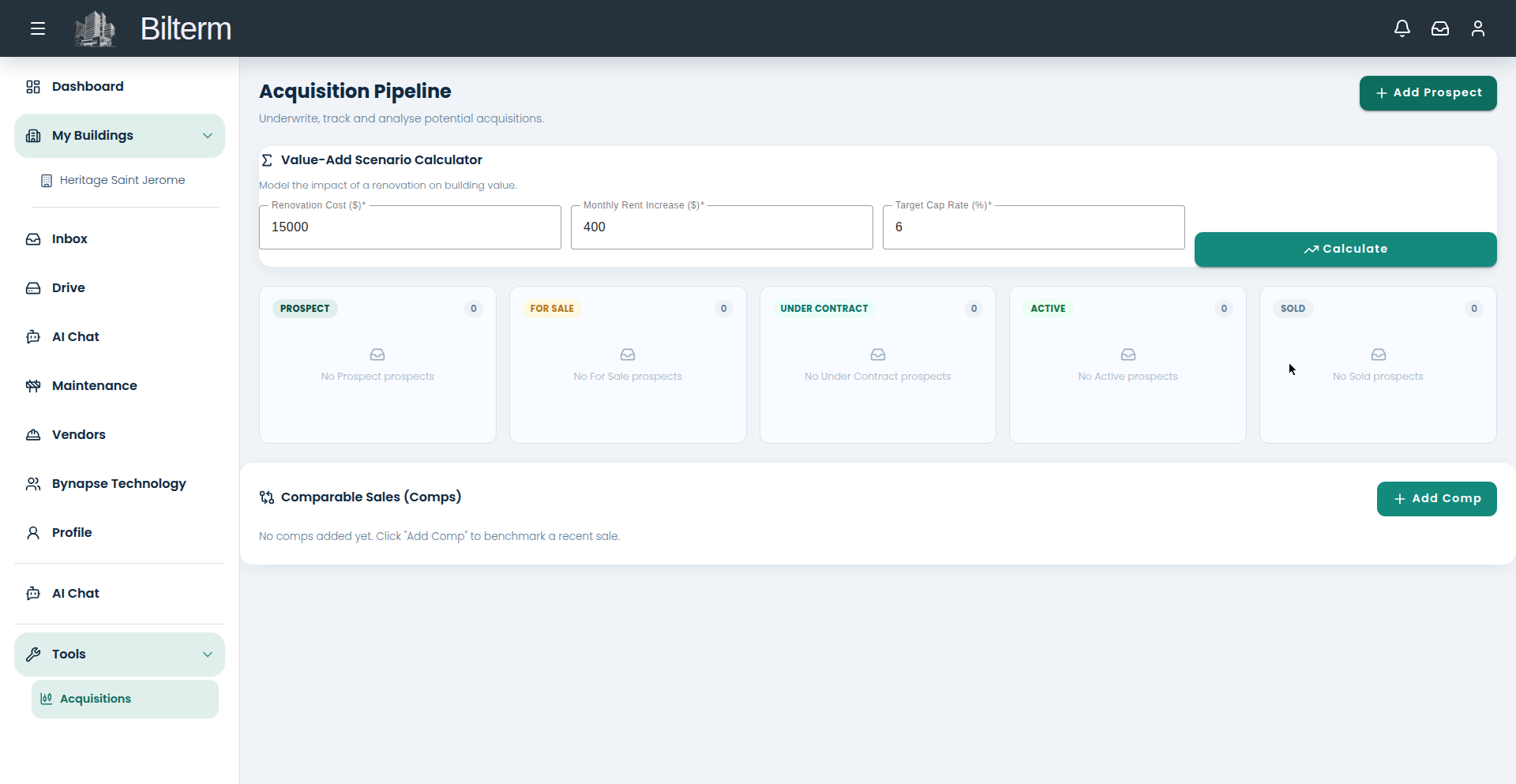
“Should I renovate this unit?” The Value-Add Scenario Calculator turns that gut feeling into a number: what a rent increase is worth at your target cap rate.
- Go to Tools → Acquisitions and find the Value-Add Scenario Calculator (“Model the impact of a renovation on building value”).
- Enter the Renovation Cost ($) — e.g. 15000.
- Enter the Monthly Rent Increase ($) the renovation should support — e.g. 400.
- Enter your Target Cap Rate (%) — e.g. 6.
- Click Calculate. The calculator shows the value the renovation creates at that cap rate, so you can compare it directly against the cost.
How to read the result
The math is simple: extra annual rent divided by the cap rate equals added value. $400 more per month is $4,800 a year; at a 6% cap rate that’s $80,000 of value created for a $15,000 spend. The calculator does this comparison for you — if the value created comfortably exceeds the cost, the renovation earns its keep.
Tips
- Run the calculator before you call the contractor, not after the work is done. It’s a decision tool, not a justification tool.
- Test pessimistic numbers too: half the rent increase, a higher cap rate. If the project still works, it’s a good project.
- Pair this with the prospect pro-forma: underwrite the building as-is, then model the renovated version as the upside case.
Laisser un commentaire
Rejoindre la discussion?N’hésitez pas à contribuer !