
Underwrite a deal: prospect pipeline and pro-forma
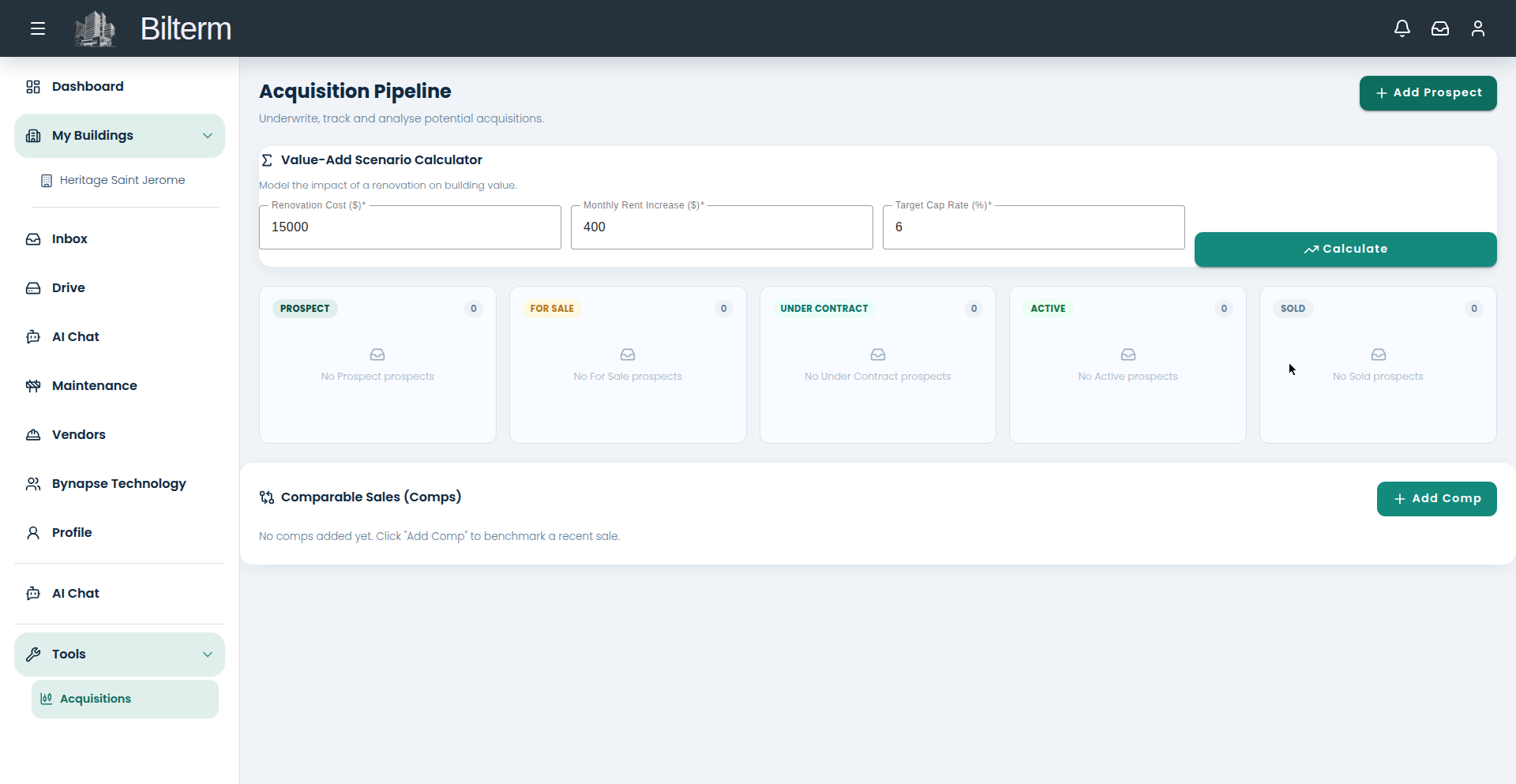
Bilterm treats acquisitions with the same structure as operations. Prospects move through a pipeline — Prospect, For Sale, Under Contract, Active, Sold — and each one gets a one-click pro-forma.
- Go to Tools → Acquisitions. The pipeline columns start empty: Prospect, For Sale, Under Contract, Active, Sold.
- Click Add Prospect.
- Fill in the required fields: Property Name, Address, Asking Price ($), Gross Annual Rent ($), Operating Expenses / yr ($), Annual Debt Service ($), and Total Cash Invested ($) — “Down payment + closing + reno costs.” Set Status (starts at Prospect) and add Notes. Save stays disabled until the required fields are filled.
- The prospect now shows a live pro-forma preview: NOI, Cap Rate, GRM, and DSCR — computed server-side from your numbers.
- Move the prospect across the pipeline as the deal progresses. A prospect that becomes your building keeps its history.
- Benchmark it: under Comparable Sales (Comps), click Add Comp and enter Address / Description, Sale Price ($), Gross Annual Rent ($), Sale Date, and a Source URL.
Tips
- Be honest on operating expenses. The pro-forma is only as good as the numbers you feed it — use the seller’s actuals, then add 10% for the surprises.
- The Total Cash Invested field is where most back-of-napkin math goes wrong. Include closing costs and the renovation budget, not just the down payment.
- Keep dead deals in the pipeline as Sold or archived rather than deleting them. A year from now, “we passed at $X because the DSCR was 0.9” is valuable history.
Laisser un commentaire
Rejoindre la discussion?N’hésitez pas à contribuer !