Ask the AI assistant (and feed it documents)
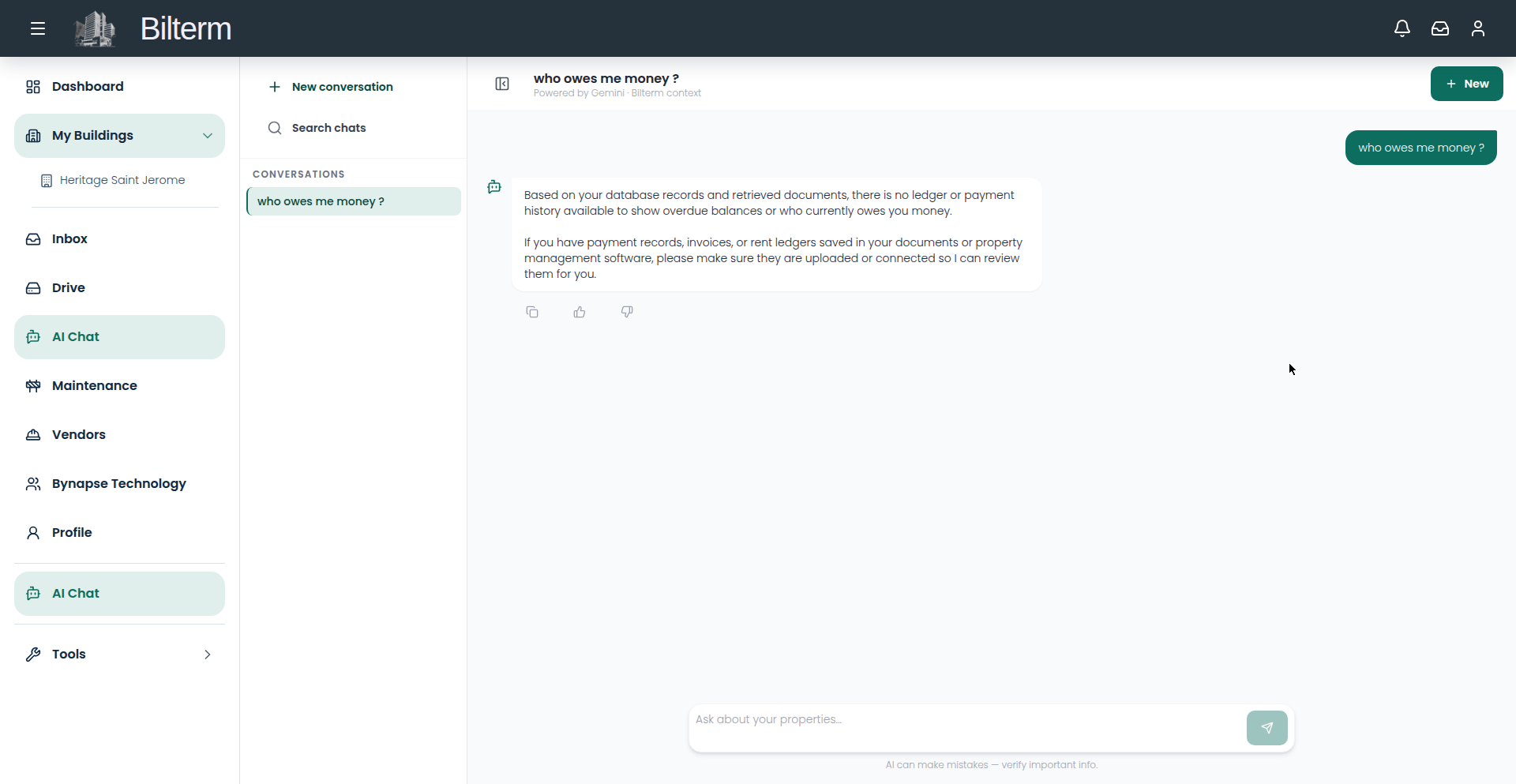
Bilterm’s AI assistant is a sidebar copilot that answers from your documents and remembers context across conversations. It’s only useful if you feed it.
- Open AI Chat — or click any “Chat with AI” button on a building or portfolio page to start with that context.
- Type in the input (“Type a message…”) and ask about your portfolio, your procedures, your documents.
- Feed it documents. Paste in lease clauses, building notes, maintenance procedures, property details — anything you currently keep in your head or in a drawer. The assistant chunks and indexes the text into its knowledge base.
- Manage threads like a chat app: create new ones per topic, rename them, search them. Titles are generated automatically.
- The assistant keeps short-term context within a conversation and builds long-term memory of facts you reinforce — so “the boiler in building X is from 2019” stays known.
What it can and can’t do
- It answers from the documents and notes you provide, plus the conversation at hand.
- It does not read your rent ledger. “Who owes me money?” is a question for the Rent tab, not the chat.
- AI answers can be wrong. Verify anything with legal or financial consequences against the source document.
Tips
- The highest-value first upload: your standard lease clauses and your building notes (boiler age, roof year, quirks per unit). That’s the knowledge you get asked about most.
- One thread per topic. A thread called “Boiler issues — 85 Rue de Montigny” is retrievable; a 200-message mega-thread is not.
Leave a Reply
Want to join the discussion?Feel free to contribute!