
Use the unified inbox (email, SMS, WhatsApp, Messenger)
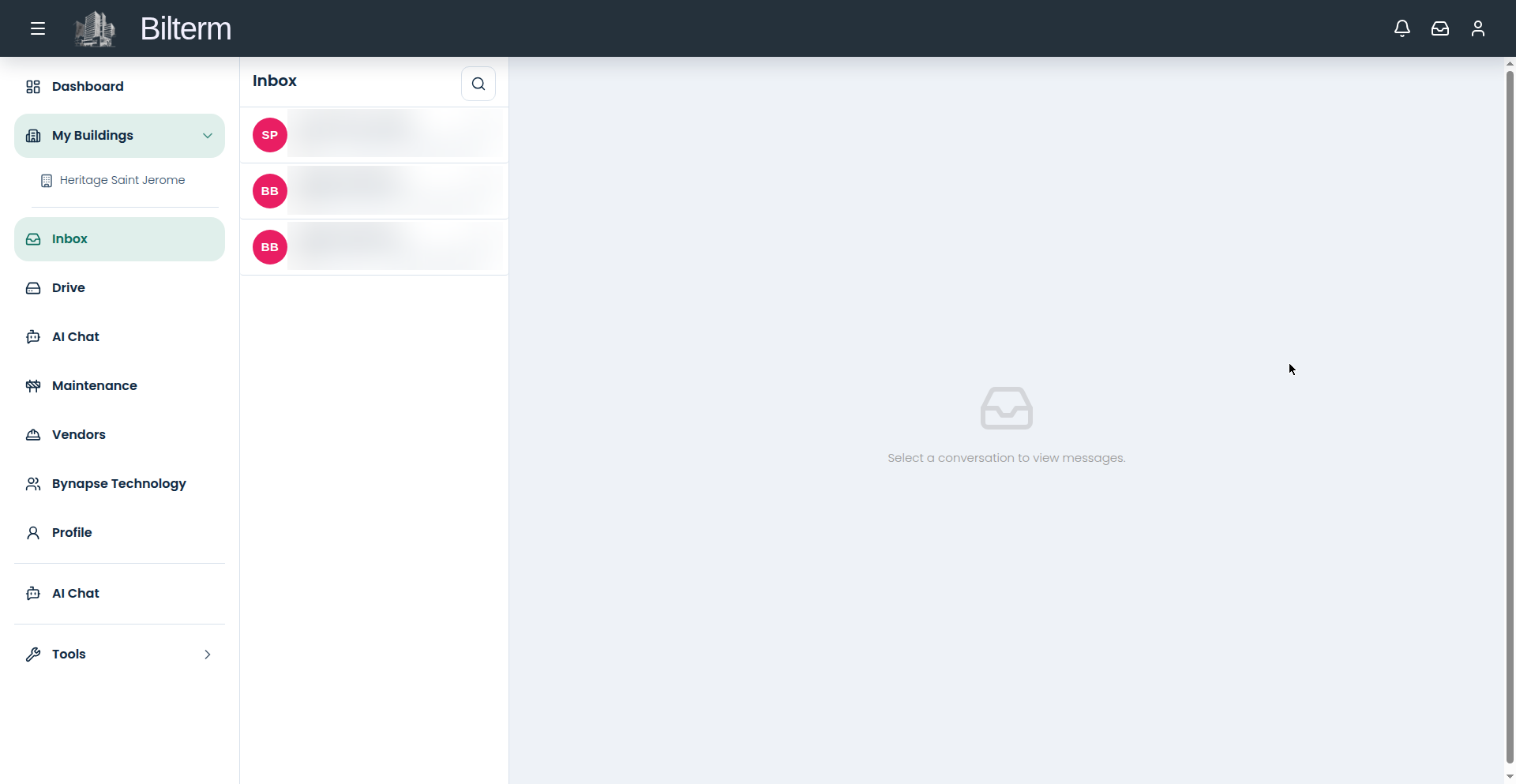
Tenant conversations live everywhere: email for the formal stuff, SMS for the quick stuff, WhatsApp and Messenger because that’s where people actually reply. The Inbox puts all four in one thread list.
- Open Inbox. Conversations are on the left; click one to read it — “Select a conversation to view messages in main.”
- Unread counts show on each thread. Work top-down, oldest unread first.
- Reply right in the thread. Your reply goes back out through the channel the message came in on — a WhatsApp message gets a WhatsApp reply.
- Use internal notes for the stuff the tenant should never see: “Tenant claims the noise is the upstairs unit — check with 85B before responding.”
- Email attachments land on the thread. Save the important ones to Drive rather than leaving them buried in a conversation.
Tips
- The inbox is also where maintenance photos arrive. When a tenant sends “here is the photo you asked for,” it’s already attached to the thread — reference it when you create the maintenance request.
- Internal notes are your institutional memory. Six months from now, “we agreed to repaint in spring” as a note beats your memory of the conversation.
- Message threads update live. If you’re coordinating a repair with a superintendent in real time, you don’t need to refresh.
Leave a Reply
Want to join the discussion?Feel free to contribute!